

Setting Up Custom Regex Patterns
-
Navigate to Guardrails: Go to the
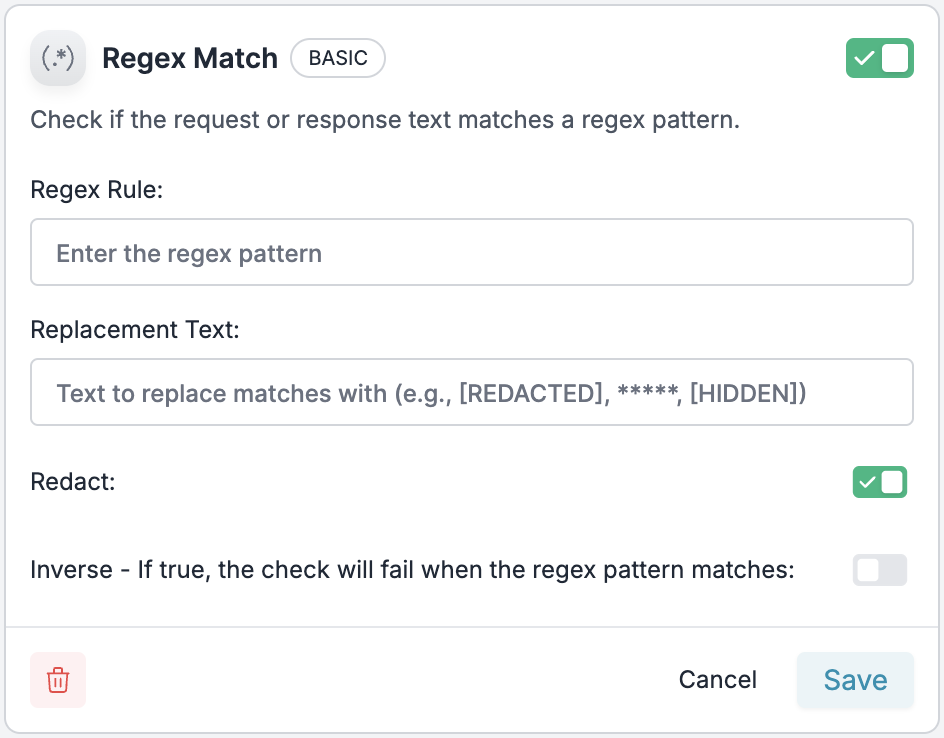
Guardrailspage and clickCreate - Select Regex Match: Choose the “Regex Replace” guardrail from the BASIC category
-
Configure the Pattern:
- Regex Rule: Enter your regex pattern to match specific data (e.g.,
\b\d{3}-\d{2}-\d{4}\bfor SSN patterns) - Replacement Text: Define what to replace matches with (e.g.,
[REDACTED],*****,[SSN_HIDDEN])
- Regex Rule: Enter your regex pattern to match specific data (e.g.,
- Save the Guardrail: Name your guardrail and save it to get the associated Guardrail ID
Common Regex Patterns for Sensitive Data
Adding to Your Config
Once you’ve created your custom regex pattern guardrail, add it to your Portkey config:You can add the same guardrail to both
before_request_hooks (input guardrails) and after_request_hooks (output guardrails) to scan and redact regex patterns in both user inputs and LLM responses.Example Implementation
- NodeJS
- Python